
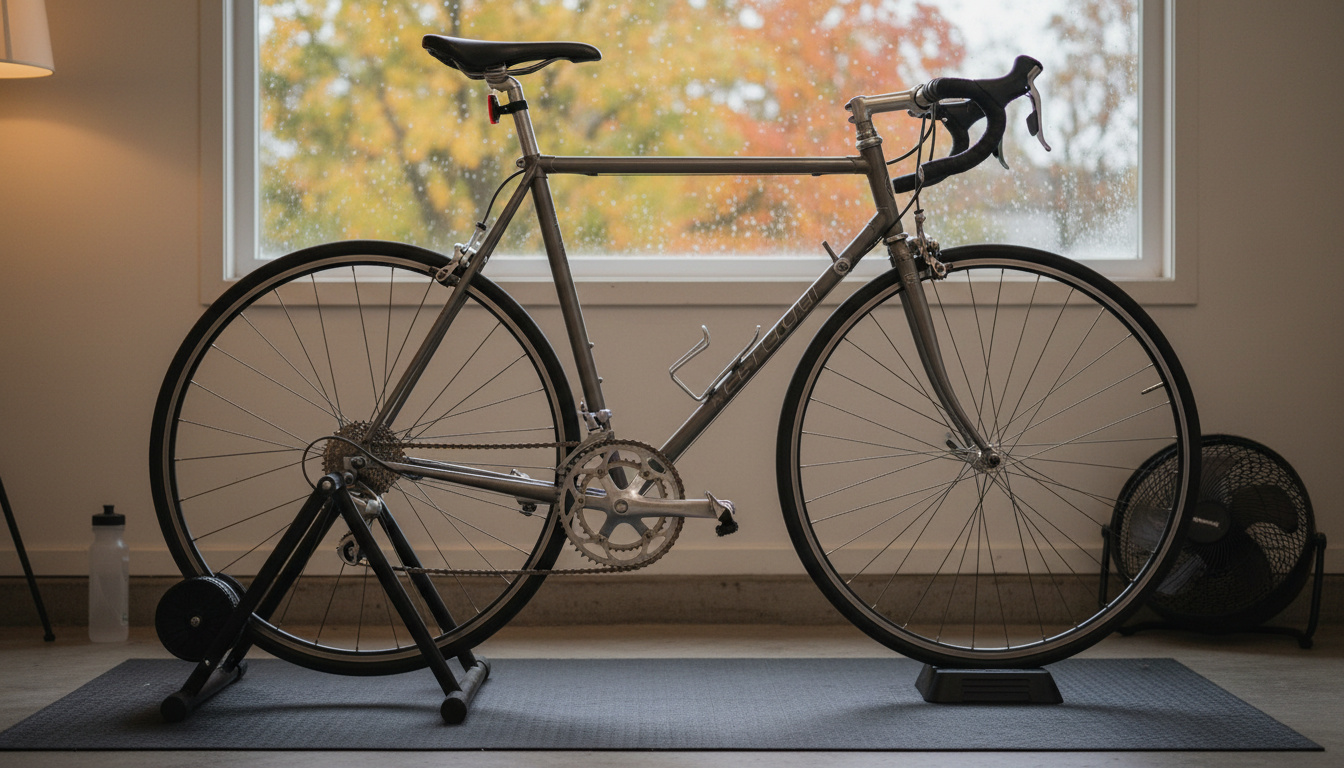
You’ve got a perfectly good bike sitting in the garage. A dedicated exercise bike eats floor space you might not have, and it never feels quite like your own bike. There’s a cheaper route, and the main thing you need to buy is a trainer.
Converting your regular bike to an indoor setup is one of the most practical training decisions you can make. Your real bike fit, your real pedals, your real handlebars – plus the ability to ride year-round no matter what the weather does.
This guide covers the trainer types, how to set one up, and which gear is worth a look. If you want to compare specific models side by side, our best bike trainers roundup does that. And if you’d rather skip the bike swap altogether, the best exercise bikes guide covers dedicated stationary bikes.
Key Takeaways
Short on time? These are the five points that matter most.
- Almost any bike can go on a trainer. Wheel-on trainers clamp the rear axle, direct-drive trainers replace the rear wheel, and thru-axle bikes need a trainer or adapter that supports their axle.
- Magnetic wheel-on trainers are the cheapest way in. Fluid ones feel smoother, and smart ones add app control.
- On a wheel-on trainer, a trainer tire is built for the roller’s heat and friction, so your good road tire stays fresh for outdoor rides.
- The first setup takes about half an hour. After that, mounting the bike is a few minutes.
- Smart trainers connect to apps like Zwift, Wahoo SYSTM and Rouvy for virtual rides and structured workouts.
Types of Bike Trainers: What You’re Actually Choosing Between
The trainer aisle looks confusing until you sort it by how the bike attaches. There are three setups, and “smart” is an extra feature layered on top of most of them.
Wheel-On Trainers: Magnetic and Fluid
With a wheel-on trainer your rear wheel stays on the bike. The frame clamps the rear axle and a resistance unit presses against the tire. What differs is how the resistance is made.
Magnetic trainers use magnets and usually a bar-mounted remote or lever to pick from a handful of preset levels. Listings for popular models show anywhere from five to eight. They’re the cheapest option and they work, but the resistance changes in steps and they tend to be louder than fluid units. Good for beginners and occasional riders.
Fluid trainers use a sealed fluid unit, so resistance builds smoothly as you pedal faster, a lot like riding on a real road. They tend to run quieter than magnetic ones. They aren’t app-controlled on their own, but they’re great for unstructured riding and recovery spins, and some can feed speed data to an app through a separate sensor.
Direct-Drive Trainers
Direct-drive trainers are the premium route. You take off the rear wheel and mount the bike on the trainer’s own cassette. With no tire against a roller, there’s no tire wear, no slipping, and usually less noise and a steadier feel during hard efforts. They cost the most, and you need to check that the trainer’s cassette or freehub matches your bike’s drivetrain before you buy.
Smart Trainers
Smart is a feature, not a separate type. A smart trainer talks to training apps over ANT+ and Bluetooth, and the app can change the resistance: it ramps up on a virtual climb in Zwift or holds a target power in a structured workout. Smart trainers come as both wheel-on and direct-drive designs, and direct-drive models are generally the more accurate ones.
Rollers
Rollers are a different beast: three drums on a frame and no clamp. Both wheels sit on the drums and you balance the whole time. They’re great for pedaling technique, warm-ups and experienced riders who want a natural feel. Beginners should expect a wobbly first session and set up next to a wall or doorframe.
Trainer Comparison Table
Here’s how the setups stack up on the factors that matter when you’re deciding.
| Setup | Noise | Rear wheel | Road feel | App control | Best for |
|---|---|---|---|---|---|
| Wheel-on magnetic | Moderate to loud | Stays on | Fair | No | Budget and occasional use |
| Wheel-on fluid | Lower than magnetic | Stays on | Good | Only with a separate sensor | Regular riding and recovery spins |
| Wheel-on smart | Low to moderate | Stays on | Good | Yes (ANT+/Bluetooth) | Zwift and structured training |
| Direct-drive smart | Usually the quietest | Comes off | Very good | Yes (ANT+/Bluetooth) | Serious training and accuracy |
| Rollers | Low to moderate | Stays on | Closest to outdoor riding | Some models | Technique and experienced riders |
Trainer and Gear Picks to Start With
You don’t need everything on this list. Pick the trainer type that matches your budget and goals, then add a trainer tire if you went wheel-on.
Gear for each trainer type
As an Amazon Associate we earn from qualifying purchases, at no extra cost to you.
 Wheel-on magneticSportneer Magnetic Bike Trainer Stand
Six resistance levels from a bar-mounted remote. The listing says it fits 26 to 28 inch and 700C wheels.
VIEW LATEST PRICE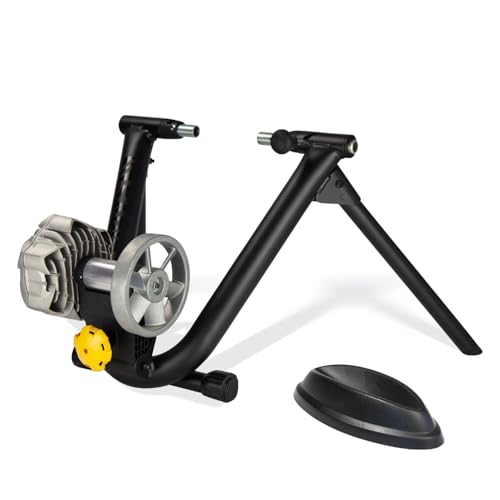 Wheel-on fluidSaris Fluid2 Indoor Bike Trainer
Progressive fluid resistance on a foldable frame. Saris lists Zwift and Rouvy use with a separate speed or cadence sensor.
VIEW LATEST PRICE Direct-drive smartWahoo KICKR CORE 2
Up to 1,800 watts and 16% simulated grade, with an 11-speed cassette already fitted. Connects over WiFi, Bluetooth and ANT+.
VIEW LATEST PRICE RollersROCKBROS Bike Rollers
Foldable aluminium rollers with parabolic drums and an adjustable frame that fits wheels from 16 to 29 inches. Expect a wobbly first session.
VIEW LATEST PRICE Trainer tireContinental Hometrainer II Trainer Tire
A folding tire made for trainers and rollers. This link is the 700×23 road size, so check your rear wheel size first.
VIEW LATEST PRICEThe Sportneer is the low-commitment way to find out whether indoor riding sticks for you. The Saris Fluid2 is the step up if you want smoother resistance, and the KICKR Core 2 is the one to look at if you plan to ride Zwift regularly. Rollers are the odd one out, so only buy them if the balance work sounds fun. The tire card links to the 700×23 road size; The same Amazon listing also offers the Hometrainer II in 700×32 and 26 inch versions.
Want more options, including more magnetic stands and the KICKR V6? The bike trainer roundup compares ten trainers side by side.
How to Set Up Your Bike on a Trainer: Step-by-Step
The first setup takes about half an hour. After that you can have the bike mounted in a few minutes. Steps 2 to 5 are for wheel-on trainers, and there’s a short direct-drive note after step 6.
Step 1: Check your rear axle
Road bikes with a quick-release rear axle are usually 130mm wide, and quick-release mountain bikes are usually 135mm. Many newer bikes use thru-axles, commonly 12x142mm, with 12x148mm (Boost) on newer mountain bikes. Check your trainer’s specs against your bike, because many trainers include or sell adapters for the other standards.
Step 2: Swap to a trainer-specific rear tire (recommended)
For a wheel-on trainer, fit a trainer tire before your first session. A regular road tire wears faster against the roller and gets hot. A trainer tire like the Continental Hometrainer II in the gear picks above is made for exactly this job. Direct-drive trainers don’t need one because the rear wheel comes off.
Step 3: Swap in the trainer skewer
Many wheel-on trainers ship with their own quick-release skewer, designed to seat properly in the clamp arms. Remove your bike’s skewer and use the one that came with the trainer. A mismatched skewer can let the bike shift in the clamp during hard efforts.
Step 4: Mount the rear axle in the trainer
Open the clamp arms, position the rear axle between them and close them. Tighten as the manual says. The bike should feel solid, with no side-to-side movement when you rock it gently.
Step 5: Set the resistance roller
Wheel-on trainers need the roller set against the rear tire. Bring the roller into contact with the tire, then turn the adjuster the number of turns your manual specifies. It varies by brand, so go with the manual rather than a rule of thumb. Too loose and the tire slips, too tight and you add wear and strain.
Step 6: Level the front wheel
The back of your bike is lifted on the trainer, so the bike sits nose-down. Some trainers include a front wheel riser block, or you can use a thick book. Leveling the bike makes your position closer to riding outside.
Direct-drive note: skip steps 2, 3 and 5. Remove the rear wheel, attach the frame to the trainer using the axle or adapter the manual calls for, and make sure the cassette matches your drivetrain.
Step 7: Set up your training space
Put a mat underneath to catch sweat and take the edge off vibration. Point a fan straight at yourself, because indoors you lose the wind that normally cools you and you’ll overheat sooner at the same effort. Keep water within reach.
Step 8: Connect to a training app (smart trainers)
Open your app of choice (Zwift, Wahoo SYSTM or Rouvy) and follow the pairing screen. Your trainer should show up in the device list over Bluetooth or ANT+. If the app asks for a calibration, such as a spin-down, do it before your first serious workout.
Indoor Training Apps Worth Using
The right app turns indoor riding from a chore into something you look forward to. These three are the main options.
Zwift
The best-known platform. Zwift builds a virtual cycling world where you ride alongside other real riders. Your pedaling power sets your avatar’s speed, and virtual hills raise the resistance on a smart trainer. You get group rides, races, structured workouts and social features. It needs a paid subscription and a device that can run it, and it works best with a smart trainer, though it also works with a basic trainer plus a speed sensor.
Wahoo SYSTM
Focused on structured training rather than virtual worlds. SYSTM’s workouts are built around power-based fitness testing, using its four-dimensional power (4DP) profile. If you have a specific goal such as raising your FTP or prepping for a race, it’s a more systematic approach than Zwift’s game-style format. It also includes yoga, strength and mental training content.
Rouvy
Rouvy overlays your avatar on real video footage of actual roads and race courses. It sits between Zwift’s game feel and SYSTM’s pure training focus, and it’s a good fit if you’d rather ride a real route than a cartoon one.
Common Mistakes When Setting Up a Bike Trainer
A few things trip up first-time trainer users again and again. Knowing them in advance saves you a frustrating first session.
- Using the wrong skewer – if your trainer ships with its own skewer, use it instead of the one on your bike.
- No tire swap – a regular road tire on a wheel-on trainer wears faster and runs hot against the roller.
- No front riser block – without leveling the front wheel, your weight tips forward and your hands carry more of it.
- No cooling – indoor riding gets hot fast. A fan makes a big difference to how long you can comfortably ride.
- Overtightening the resistance roller – cranking it down adds wear and heat. Follow your manual’s turn count.
- Skipping the calibration – if your smart trainer or app asks for a spin-down, do it so your power numbers stay consistent.
Related Resources on VolataCycles
If you’re building out a home setup or comparing indoor options, these posts are directly relevant:
- Best Bike Trainers for Indoor Riding – ten trainers compared, from magnetic stands to smart direct-drive
- Best Exercise Bikes – if you want a dedicated stationary bike instead of converting your road bike
- Best Exercise Bike for Small Spaces – compact options if a trainer setup doesn’t fit your space
- Winter Cycling Gear – what to wear when you would rather ride outside than on a trainer
Frequently Asked Questions
These are the questions that come up most often once people start looking at trainers.
Do I need a special tire for using a bike trainer?
Not strictly, but it is recommended for wheel-on trainers. A trainer tire is built for the heat and friction of the resistance roller, while a regular road tire wears faster under it. Direct-drive trainers have no tire contact at all because the rear wheel comes off.
Can I use a carbon frame bike on a trainer?
Generally yes, but follow both the trainer maker’s and the frame maker’s instructions. Use the skewer or axle the trainer calls for, and do not overtighten the clamp, because carbon dropouts do not like crushing loads. Bikes with thru-axles need a trainer that supports them or a matching adapter kit.
How long does it take for a trainer to damage tires?
There is no fixed number. Wear depends on the tire, how hard the roller presses against it and how much you ride. A regular road tire will wear faster on a wheel-on trainer, and a dedicated trainer tire is the usual fix. Direct-drive trainers skip the problem because the rear wheel is removed.
What’s the difference between a fluid trainer and a smart trainer?
Fluid describes how the resistance is made: a sealed fluid unit that pushes back harder as you pedal faster. Smart describes control: the trainer connects over ANT+ or Bluetooth so an app like Zwift can change the resistance for climbs and workouts. Smart trainers cost more, and they come as both wheel-on and direct-drive designs.
Do I need a mat under my bike trainer?
It is a good idea. A mat protects the floor from sweat and can take the edge off vibration, which matters more on an upper floor. It will not make a trainer silent, but it makes a regular indoor routine less messy.
Can I use my mountain bike on a road trainer?
Yes, with a few checks. Many mountain bikes use a 135mm quick-release rear axle (road bikes are usually 130mm), so confirm your trainer supports that spacing. Knobby tires are loud and wear quickly on a wheel-on trainer, so a smooth trainer tire is worth fitting. Newer mountain bikes with thru-axles need a trainer or adapter that supports their axle standard.
🚲 Free: The Smart Bike Buyer’s Cheat Sheet
Get our 2-page PDF - budget tiers, the components that actually matter, and a 12-point used-bike inspection. We'll email you the download link. No spam, unsubscribe anytime.
By subscribing you agree to our Privacy Policy.

I have found some ways to turn my bike into a stationary bike to save money as well as get healthy without having to worry about weather conditions. The first thing you need to do is set up the location and set up a stationary bike stand. You can use SONGMICS or Health Line stands to convert. After that, install your bike on the rack. You must put the rear end of the machine on the original bracket. The front-wheel needs to be firmly attached to prevent the bike from slipping. Next is locating the saddle height and handlebars properly, making sure you are comfortable when cycling. So now you have a converted stationary bike.
I recently purchased a Btwin bicycle and that was really a very good decision I made. I was over weighted and doctor recommended me to go for cycling, consistently 3 months of cycling helped me to reduce 15 kgs. By the way you have shared great tips.